This guide describes how to add custom wake word support to XiaoZhi AI by integrating an external ASR (Automatic Speech Recognition) module. The solution is straightforward and suitable for quick developer integration.
Feature Overview
Core Capability: Allows users to define a custom wake word (e.g., "Nezha"). When the device recognizes the wake word, it transitions from Standby to Listening state. The default wake word "Hey, XiaoZhi" remains functional alongside the custom one.
Quick Wake Mode: With a custom wake word, you can combine the wake command and your question into a single utterance (e.g., "Nezha, how's the weather today?"). The device will wake up and immediately process the question without a greeting response, resulting in more efficient interaction.
Interaction Comparison:
| Mode | Interaction Flow |
|---|---|
| Default Wake Word | User: "Hey, XiaoZhi" → AI greeting → User asks question → AI answers (two-turn interaction) |
| Custom Wake Word | User: "Nezha, how's the weather today?" → AI answers directly (single-turn interaction) |
Known Limitations:
- After connecting the ASR module, two microphone instances will appear in the system. Merging them is not currently supported, but this does not affect normal operation.
- In Quick Wake Mode, there is a brief network connection delay when the device transitions from Standby to Listening, which may cause the first few words of your question to be missed. It is recommended to pause for approximately 1 second after the wake word before continuing with your question, or ensure a stable network connection.
Required Materials:
_Click the arrow on the left to expand_
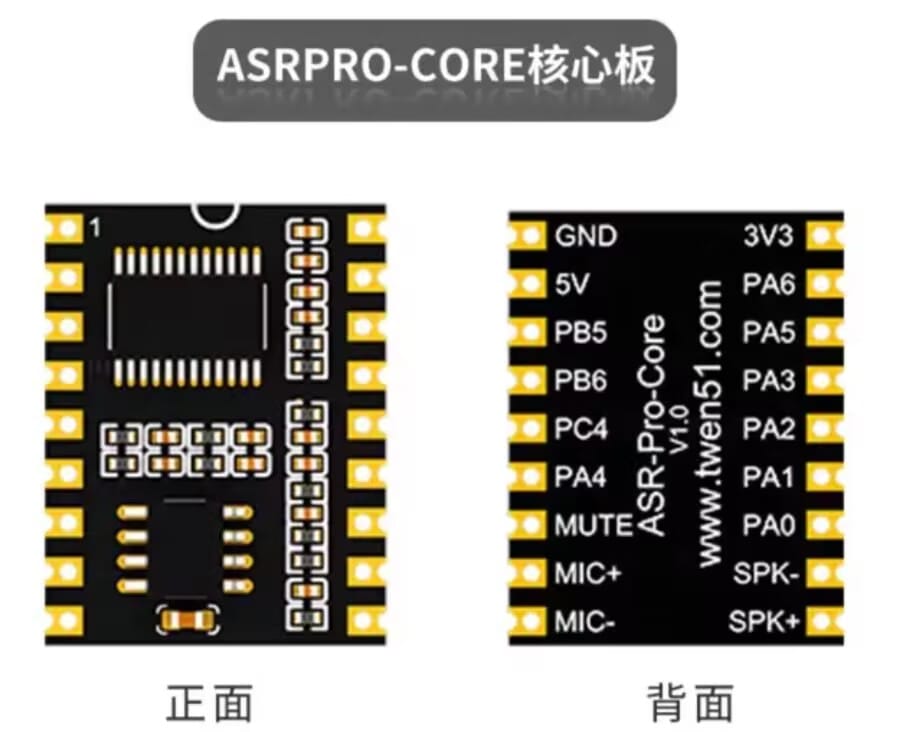
2M ASR PRO Voice Recognition Module (Core Board)
It looks like this:
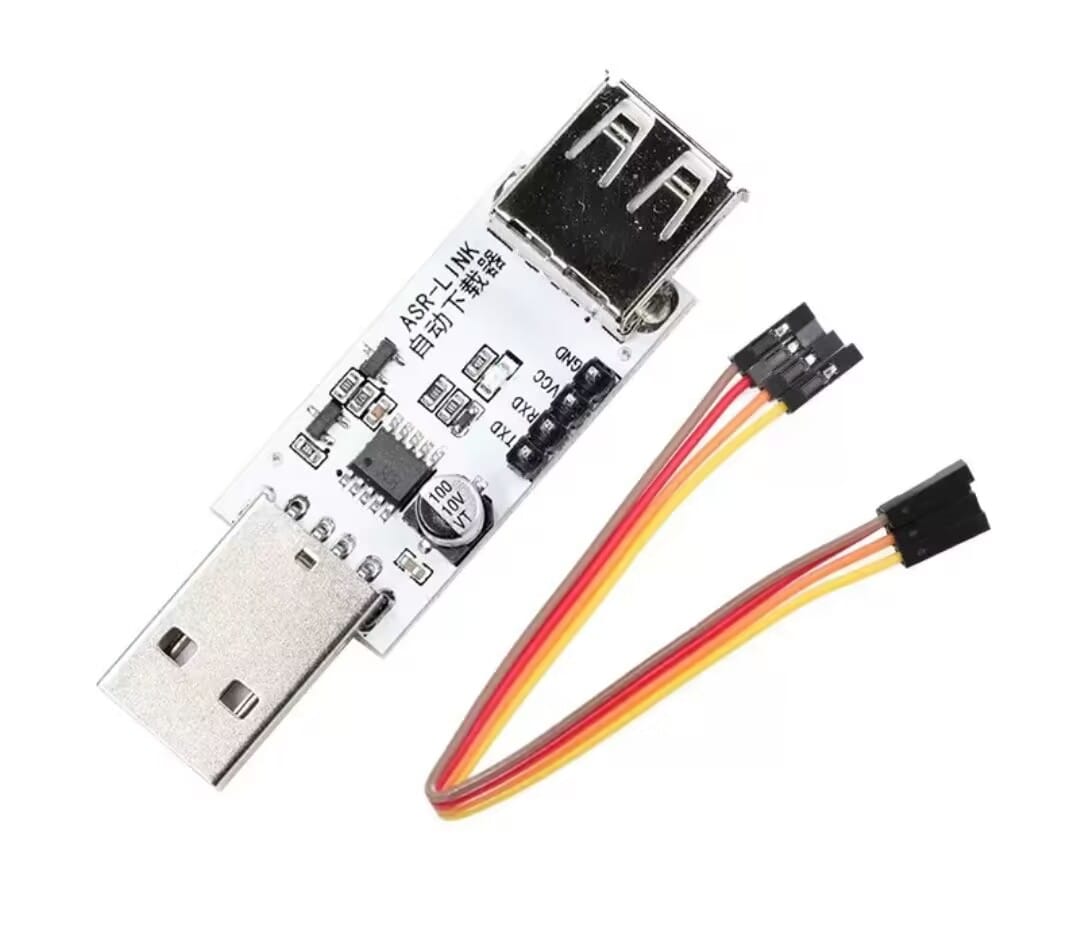
ASR-LINK Auto Downloader
It looks like this
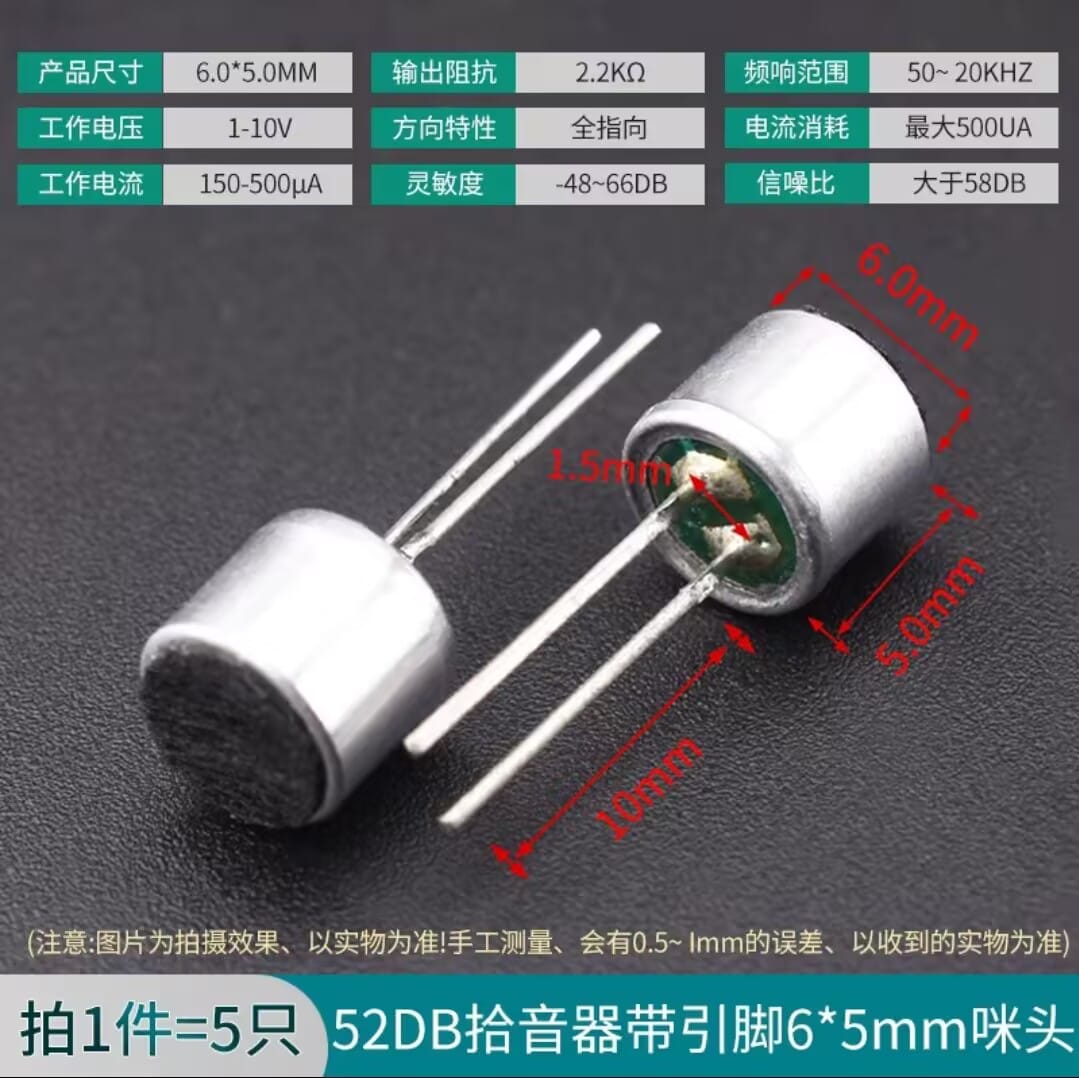
Microphone (Mic Capsule)
It looks like this: Recommend using this long-pin type for easy breadboard insertion
Also some DuPont wires and jumper wires (you should already have these)
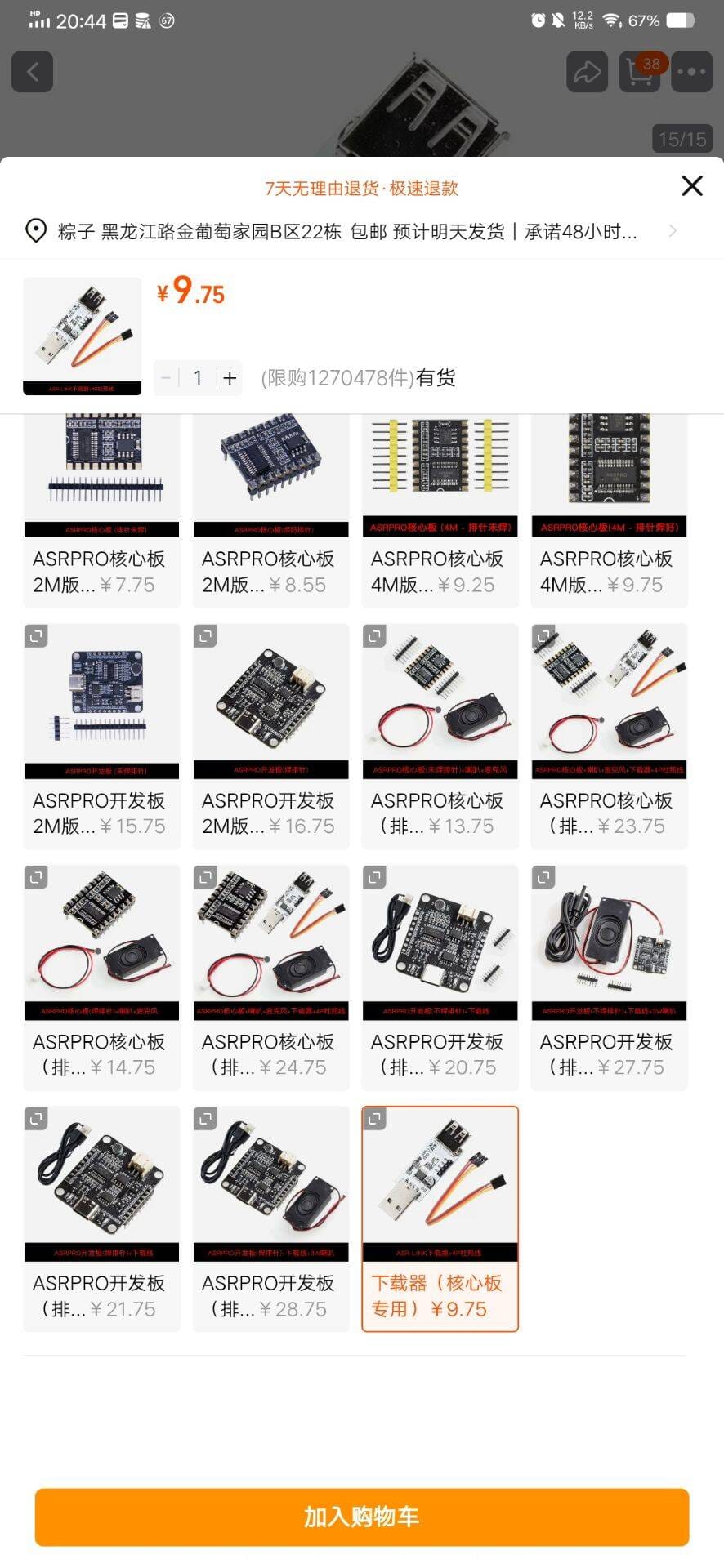
Quick purchase links
Not affiliated - these are the cheapest the author found on Taobao
~ASR PRO Voice Recognition Module~ ~7.5 CNY~ (Sold out due to high demand)
ASR PRO Voice Recognition Module 2M 10.87 CNY
ASR-LINK Auto Downloader 9.75 CNY
CH430 series programmer also works and is cheaper
But it's not auto-download, which is a bit more hassle
(You need to replug the GND when downloading)
This auto downloader is more convenient and beginner-friendly
Microphone (Mic Capsule) 2.11 CNY
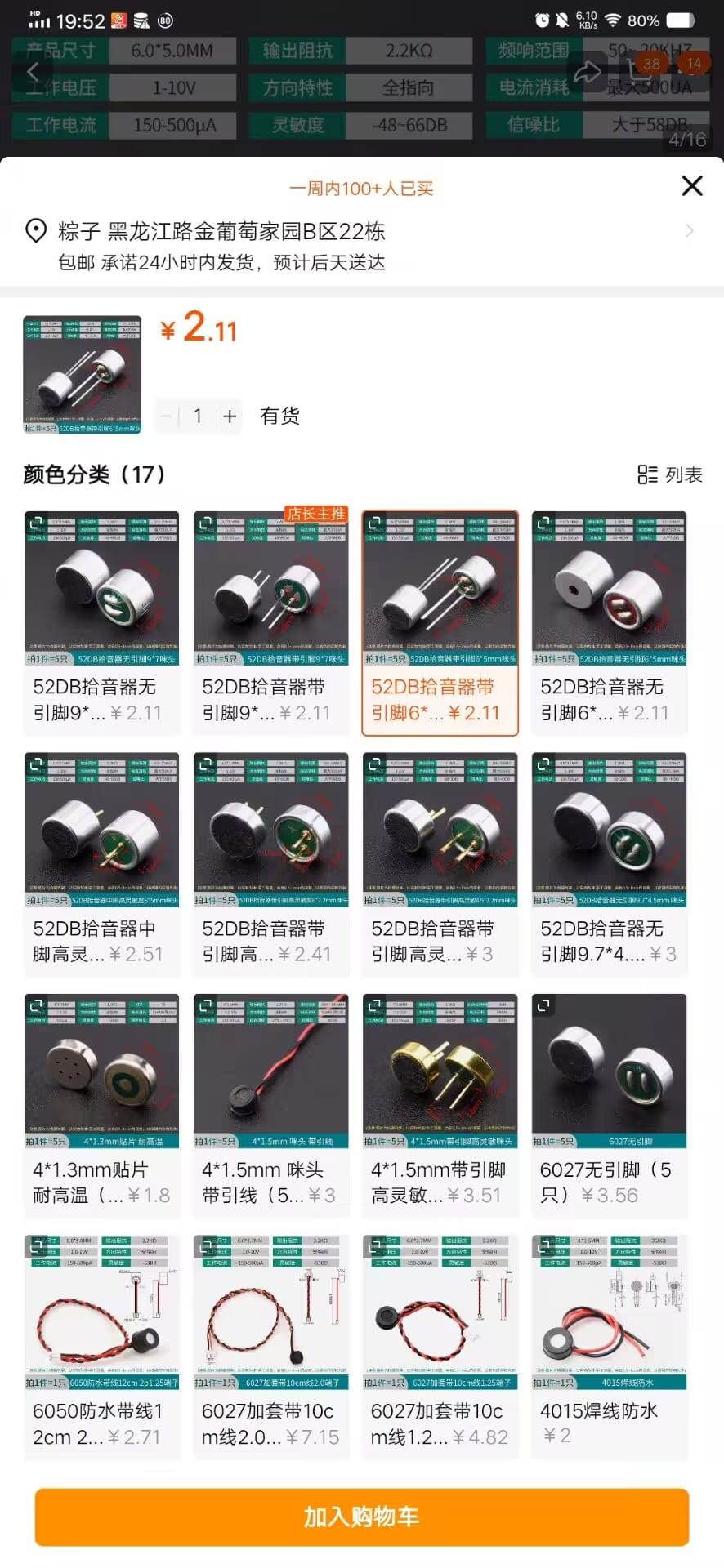
Prices may increase...
Tutorial:
Ahem, let's first filter the audience. _Click the arrow on the left to expand_
Beginners (no soldering tools, breadboard setup) _Click the arrow on the left to expand_
Let's get started!
You can do it! Go for it!!!
Based on your situation, select the appropriate steps by clicking the triangles on the left to expand
Step 1: Install TianWen Block Software
🔗Official link already found for you! Click here!
Nearly unlimited speed but may not always be the latest version. Click here if the above is too slow! No extraction needed! (Recommended)
Click the first one ⬇️⬇️⬇️ to start downloading! The second one requires login, which is more hassle
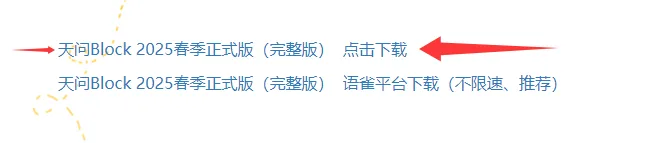
The file is quite large, the download will take a while. Take a break! 🍵
How about listening to some music while you wait? Here are some of my favorites
_A Little - Muyoi, Pezzi_ Click to download
_You are not a dull tree, you are the free wind_ Click to download
_The Pain of Breathing (DJ Pure Version) - DJ 3A_ Click to download
Download links provided via Seewo PinCo cloud file sharing
After downloading, you'll get a zip compressed file
Extract this file and run the _installer_ inside
If the system shows this ⬇️ Don't panic!!!
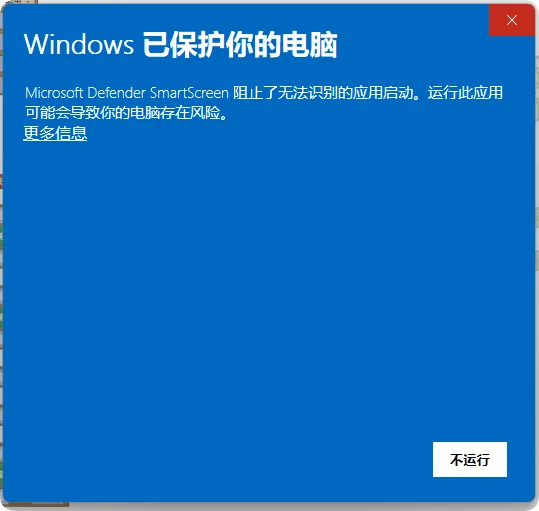
Click _More info_ first, then click _Run anyway_
You'll reach the installation screen ⬇️
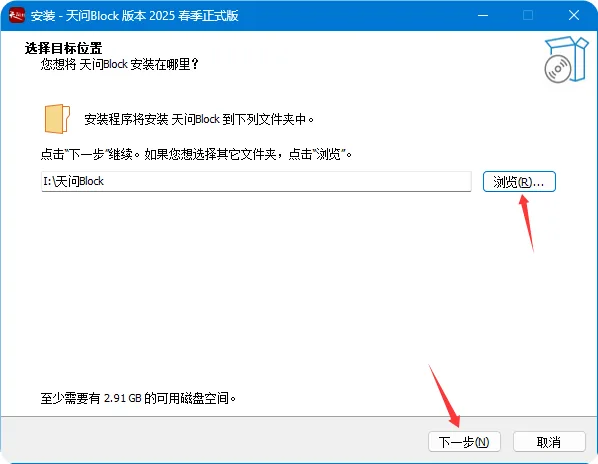
Choose a different disk here - do NOT install on the C: drive!!!
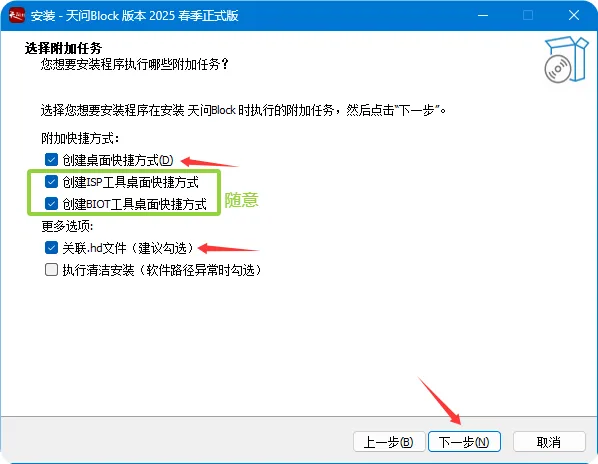
The default selections are fine
Click Next then Install, and wait for installation to complete
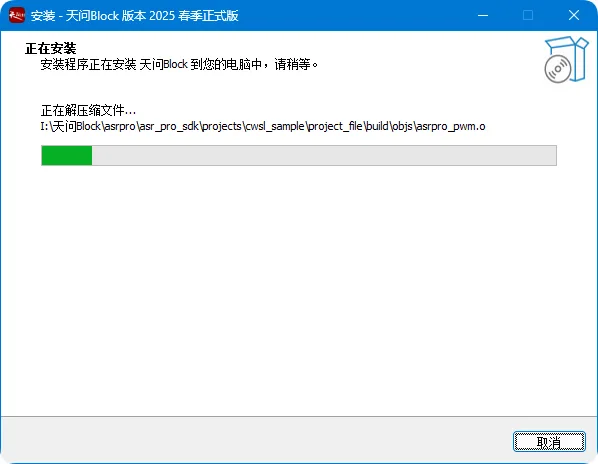
How about some more music while waiting?
_Chill instrumental music: Uletali ptitsami gordymi_ Click to download
_XiaoZhi's background music: Too many words left unsaid_ Click to download
_March of the Era! (PHONK)_ Click to download
_Fairy Tale Town_ Community contribution_ Click to download
Download links provided via Seewo PinCo cloud file sharing
A driver installation page will pop up ⬇️ Click Next
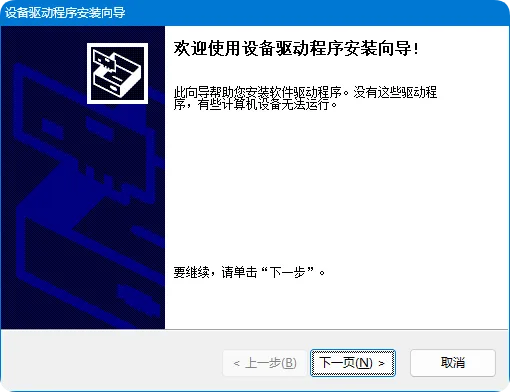
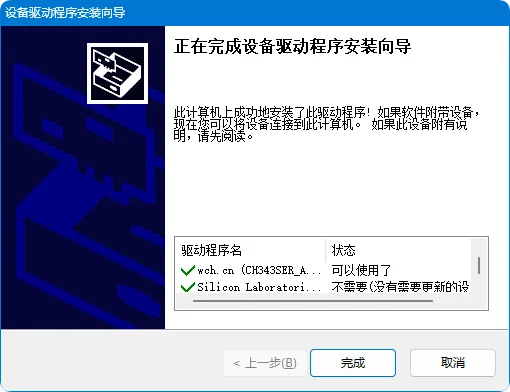
That's it
The installation section is now complete
Step 2: Write Program and Flash
Reference this program ⬇️ but I've already prepared the file for everyone _Click to download_
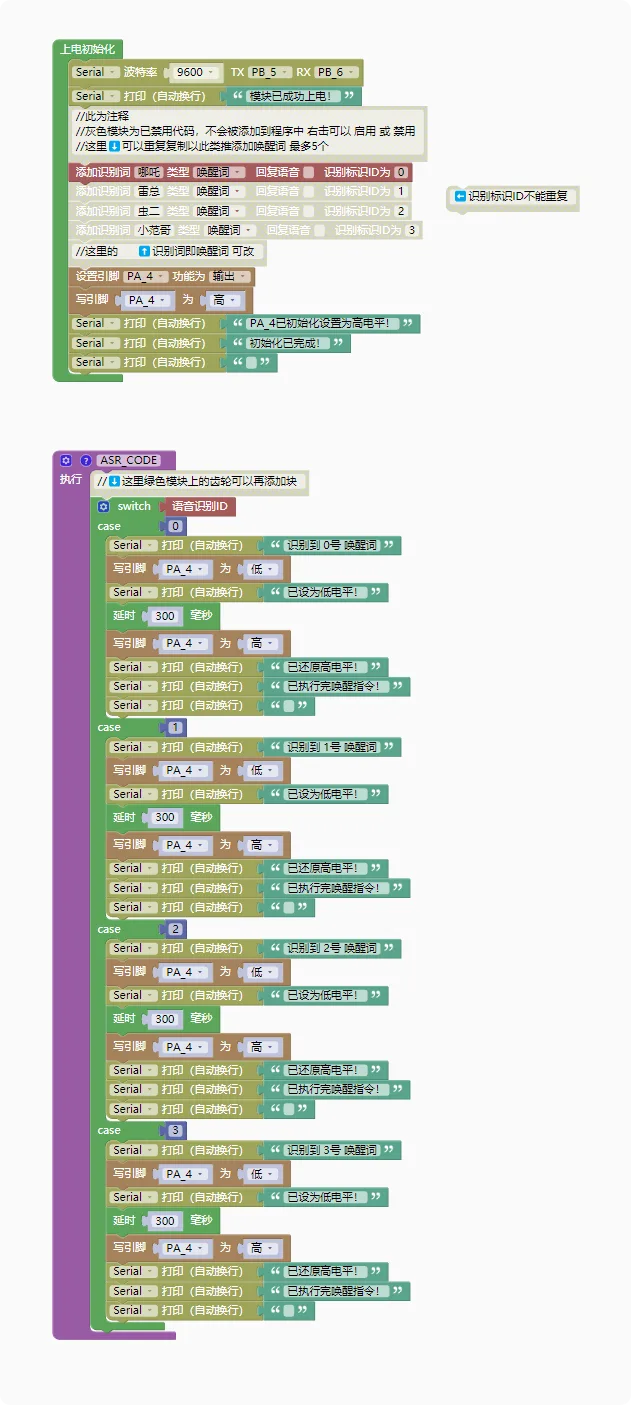
After downloading, simply open this file to see it
You can change "Nezha" to something else - this is your custom wake word
You can add multiple wake words as needed - _right-click disabled blocks to enable them_ - 2 extras for 3 total
To add more, just duplicate following the same pattern
⬇️Generate Model, Compile and Flash⬇️
Then click "Generate Model" in the top right corner. New users need to register an account and log in to generate models!!!
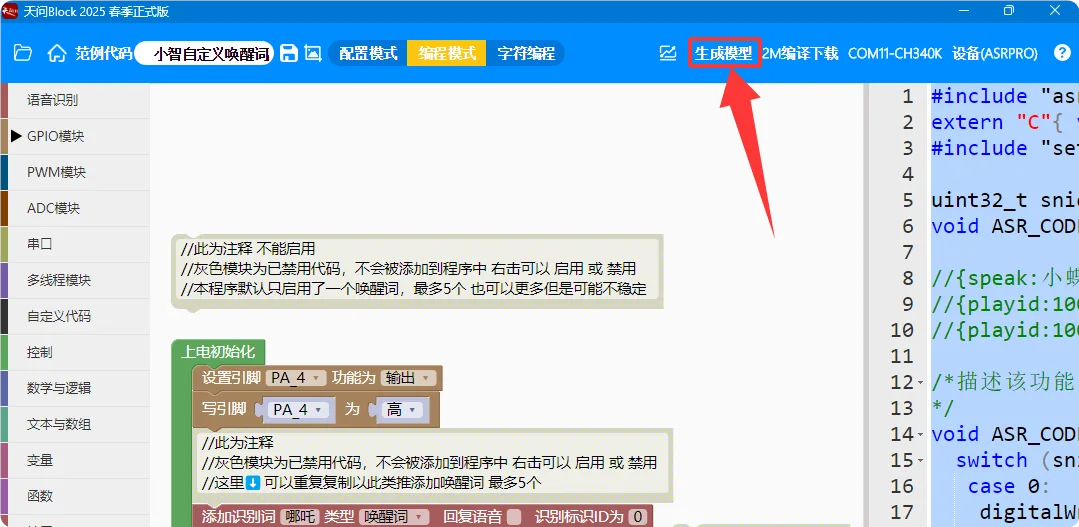
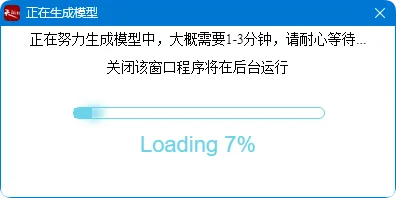
Wait for the model generation to complete - it's quick so no music this time
Step 3: Wiring and Installation
Now let's connect the downloader and the voice recognition module
Follow this table and connect them with DuPont wires. You can do it!
Do NOT reverse GND and 5V power!!! Reverse connection will burn the module - some community members have already experienced this!!!
| ASR-LINK Auto Downloader | ASR PRO Voice Recognition Module |
|---|---|
| GND | GND |
| VCC | 5V |
| RXD | PB5 |
| TXD | PB6 |
After connecting, plug the downloader into your computer
Click "Compile and Download"
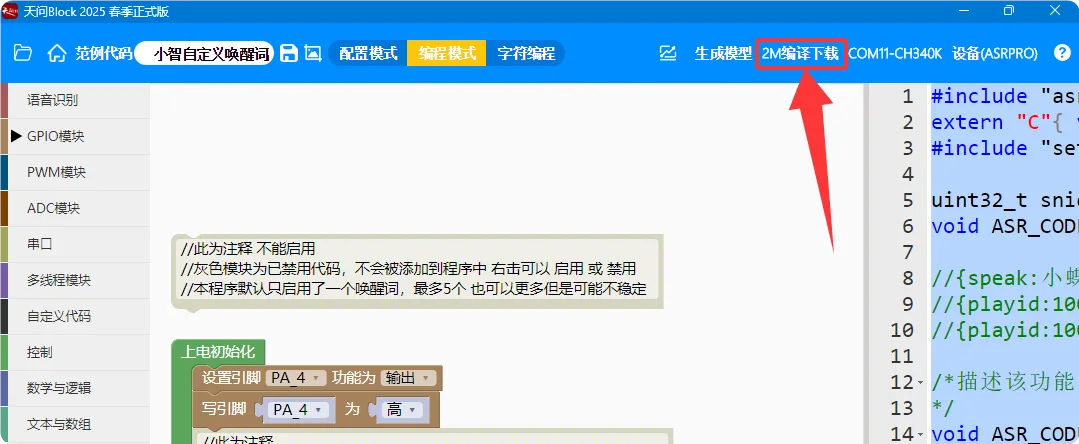
If it still shows "Compiling" after 6 seconds
It means it's stuck - just click "Compile and Download" again
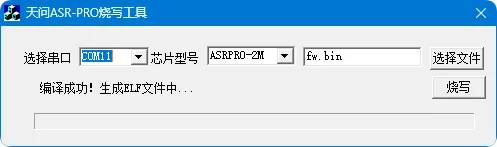
Those using the auto downloader will have it very easy - just wait quietly...
The entire process will auto-connect and download. Wait for this ⬇️ progress bar to finish, and the window will close automatically
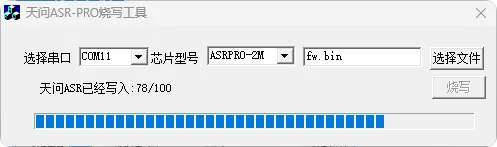
_At this point you've beaten 66% of people_
Every time you modify the wake word, you need to regenerate the model and compile/download again!!!
Now you can unplug the core module
Insert it into the breadboard, pay attention to orientation!!!!
If the 4G module is taking up space, you'll have to use jumper wires
Insert the pins _corresponding to_ the side shown in Figure 1 into the breadboard
The other side hangs off the breadboard as shown in Figure 2
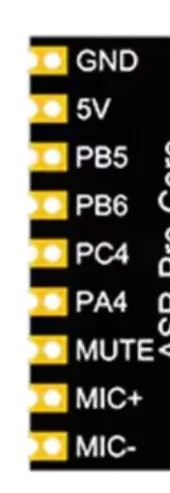
Figure 1
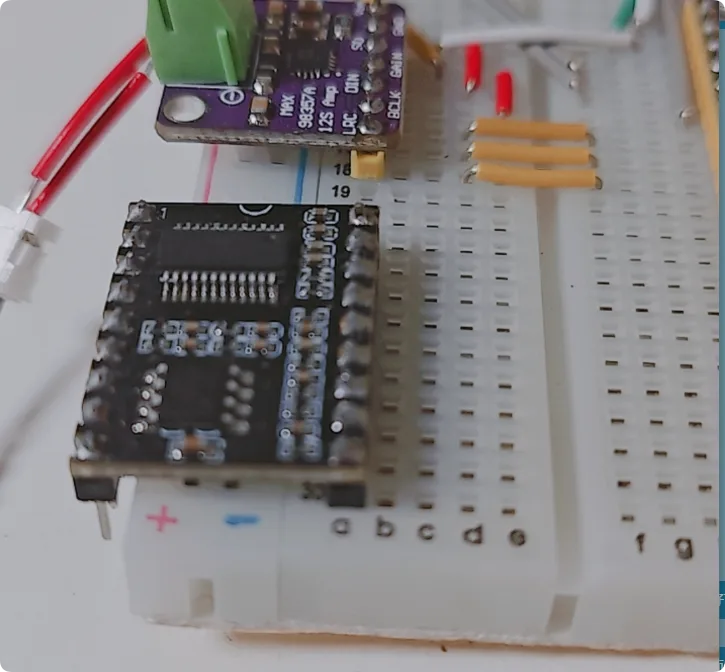
Figure 2
Make sure the orientation is correct - carefully refer to the images above ⬆️
Follow this table to connect the dev board and voice recognition module together
| ASR PRO Voice Recognition Module | ESP32 S3 Dev Board |
|---|---|
| GND | GND |
| 5V | 5V |
| PA4 | G0 or 0 |
For example, like this: (YunGuo version wiring)
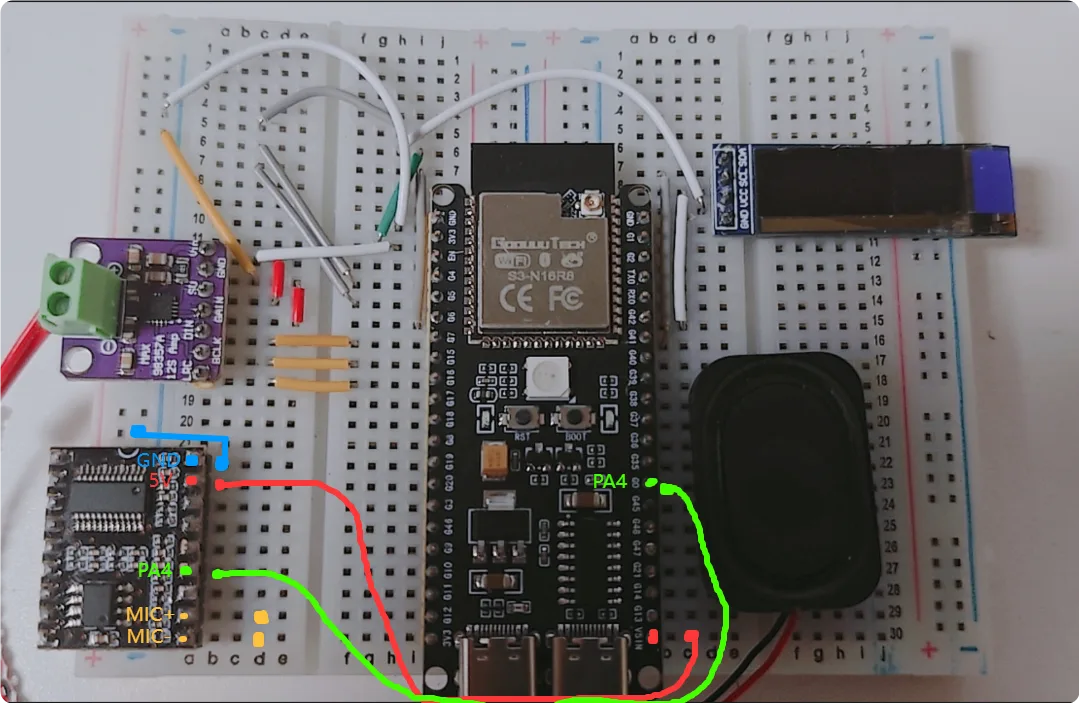
Insert the long pins of the purchased microphone into the two yellow-marked holes
_At this point you've beaten 99% of people_
Now, power it on and witness the magic!!!
_Power on!_
While the display shows Standby, clearly say your custom wake word! For example: Nezha
Check if the status changes from Standby to Listening
If it works, congratulations! You did it!!!!! 🎉🎉🎉
You're amazing, _you've beaten 100% of people!!!_ Thumbs up!
Fun fact: the person standing next to this meme is the author 😅 The expression was photoshopped by someone else
| Did you successfully add a custom wake word following this tutorial? | |
|---|---|
| Single choice, anonymous | |
| A | Succeeded on first try!!! 🎉🎉🎉 |
| B | Eventually succeeded!! 🎉🎉 |
| C | Haven't succeeded yet... |
| D | Still don't understand... |
If you haven't succeeded yet or have encountered problems, don't worry!
I don't know how to solve every problem either since I succeeded on my first try and haven't encountered any known solvable issues
But don't worry
Come join us and we'll help you! Also welcome to suggest improvements for the tutorial!!!
Feel free to ask me in the QQ group: 996785959
Xiage's main group: 1034028419
This tutorial took a lot of effort - would you follow and support the author? 🥺 Thank you!
-END-
For Experienced Users (Experts only!) _Click the arrow on the left to expand_
You have a computer, right?
No? Then what are you doing here? Go home!
You know how to write programs in TianWen Block, right?
What? Don't have TianWen Block? Do I need to teach you? Install it!
Just follow the instructions - anyone with hands can do this _Shortcut link click here_
The latest version is continuously updated in the group files!!! 996785959
You know "Nezha" can be changed to something else, right?
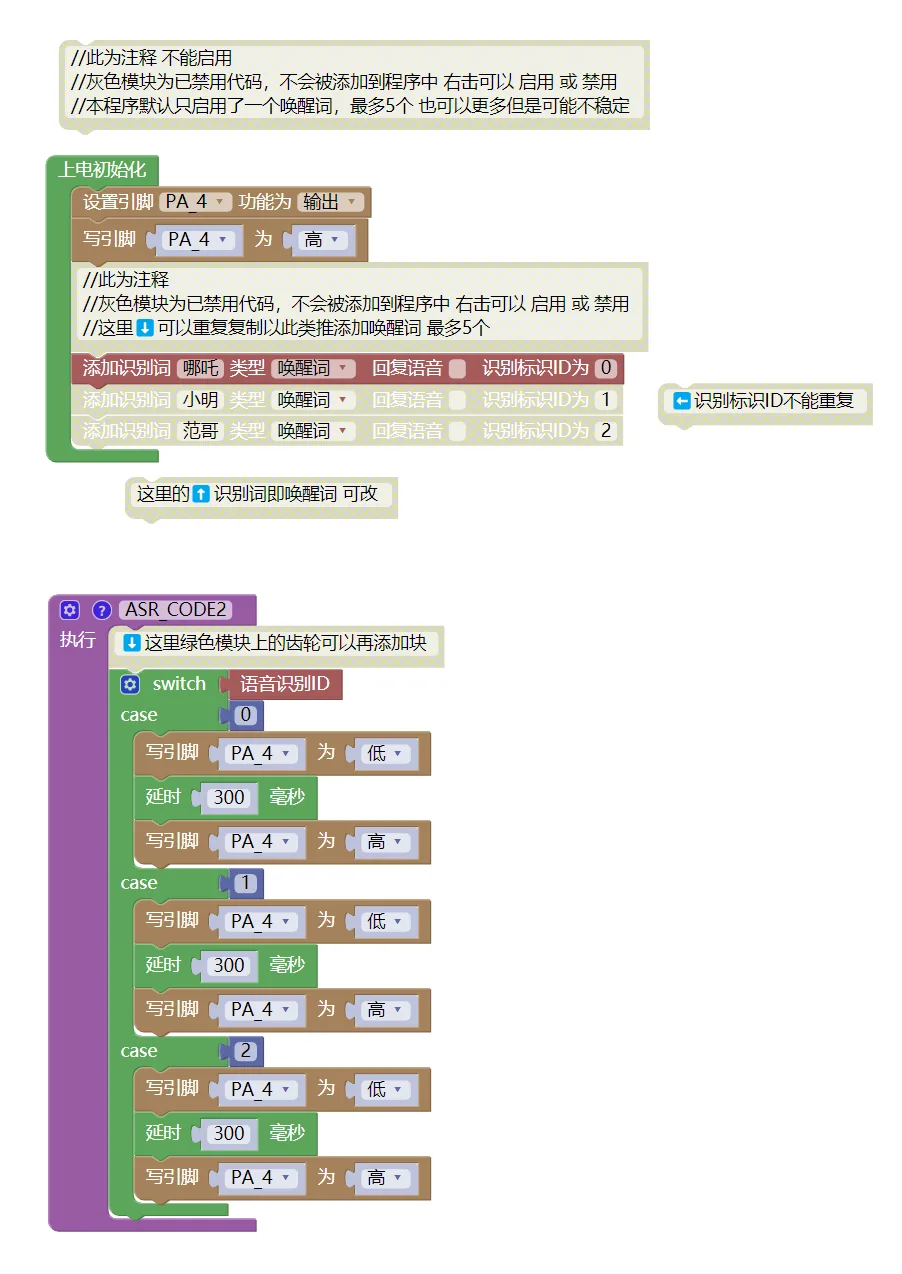
You know how to click "Generate Model", right?
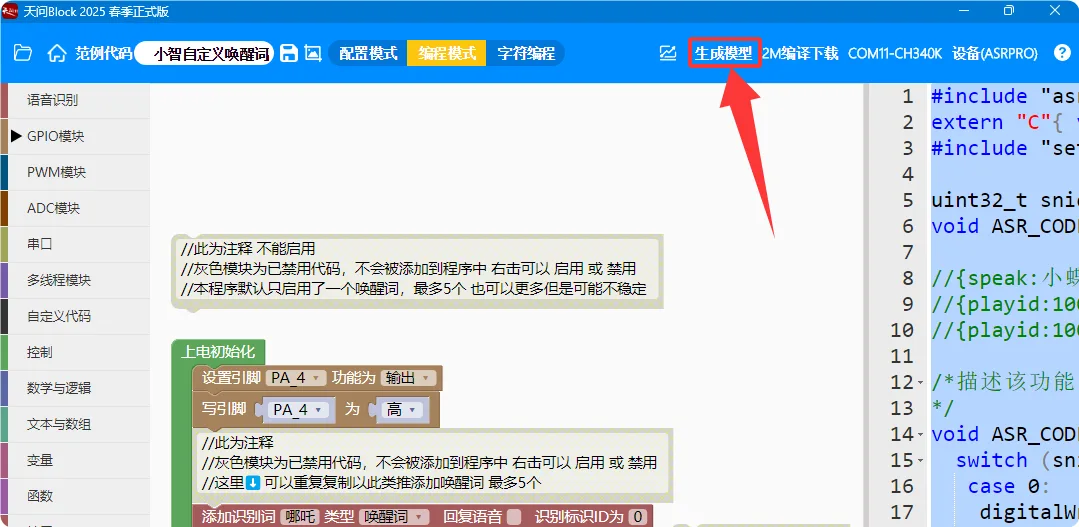
You know how to connect the downloader to the chip, right?
| ASR-LINK Auto Downloader | ASR PRO Voice Recognition Module |
|---|---|
| GND | GND |
| VCC | 5V |
| RXD | PB5 |
| TXD | PB6 |
You know how to click _Compile and Download_, right?
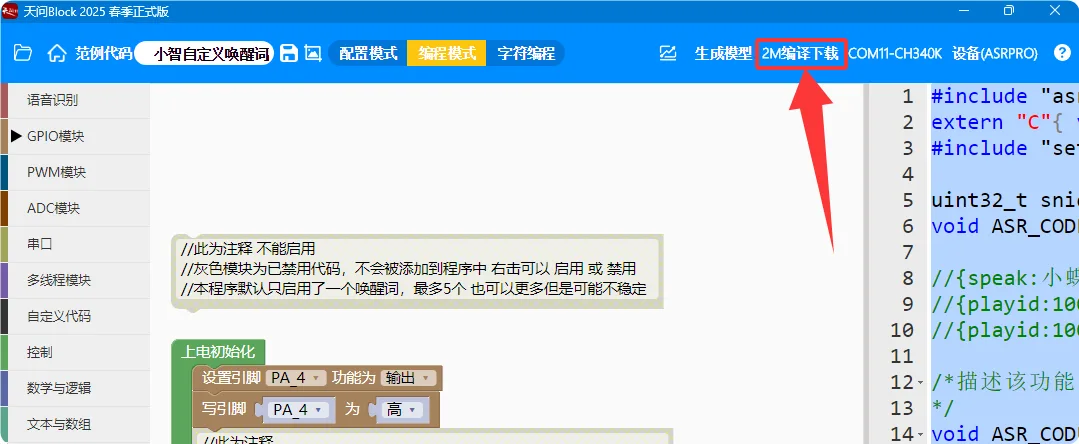
You know how to wait for the download to complete, right?
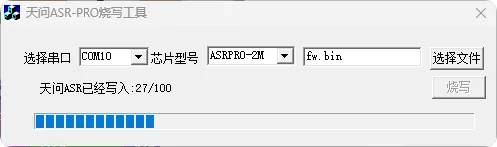
You know how to connect the ASR PRO Voice Recognition Module to the ESP32 S3 dev board, right?
Just wire it up
| ASR PRO Voice Recognition Module | ESP32 S3 Dev Board |
|---|---|
| GND | GND |
| 5V | 5V |
| PA4 | G0 or 0 |
For reference only:
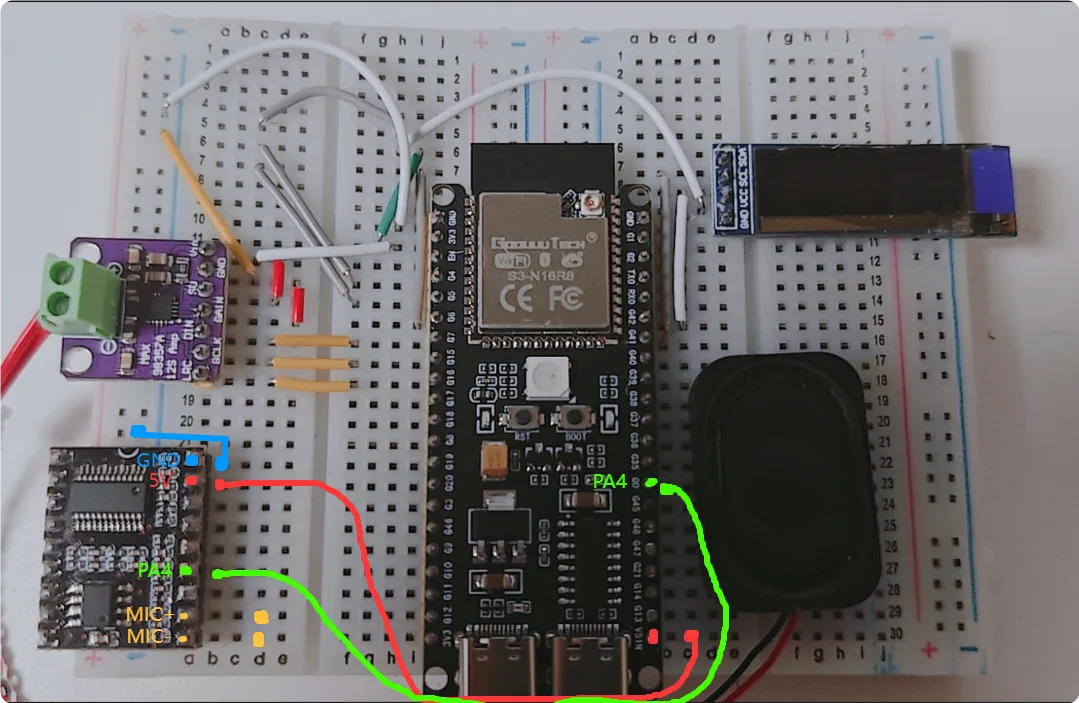
Insert the long pins of the purchased microphone into the two yellow-marked holes
What??? Didn't understand? Failed? Having problems? No way!!!
You have experience and still need me to teach you?
| Did you experienced users successfully add a custom wake word? | |
|---|---|
| Single choice, anonymous | |
| A | Succeeded on first try!!! 🎉🎉🎉 |
| B | Eventually succeeded!! 🎉🎉 |
| C | Haven't succeeded yet... |
| D | I'm not actually an expert.... |
If you have questions, ask me in the QQ group: 996785959
Please follow and support!
FAQ!! Read This First!!!
1. Solving known issues caused by different dev boards!
Some users may be using a dev board rather than a core board!
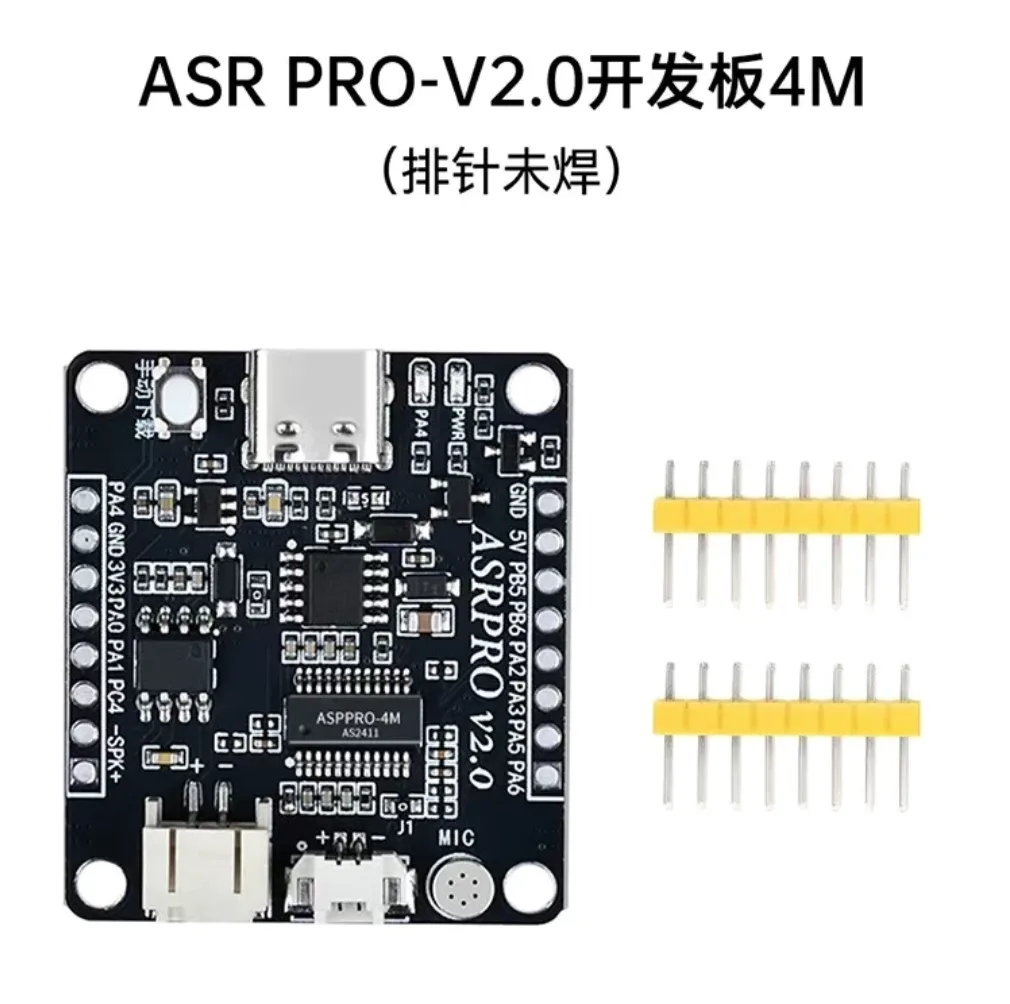
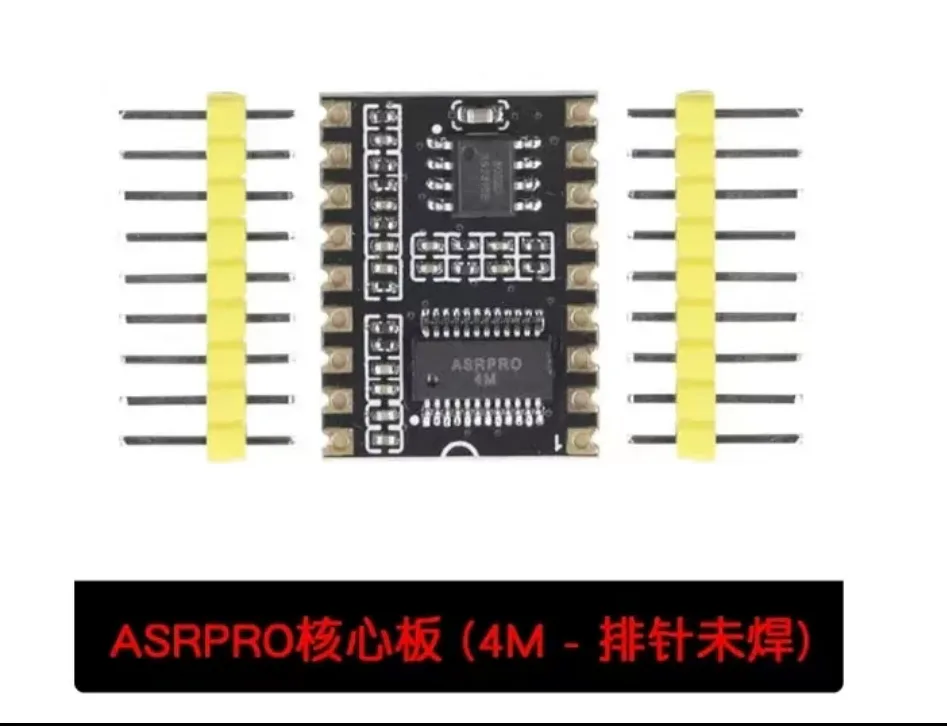
Users with dev boards may encounter issues when using the program provided above! If it works, you can ignore this!
Try using this program file and wiring method to resolve the issue!
Reference code: _Click to download the dev board specific version_
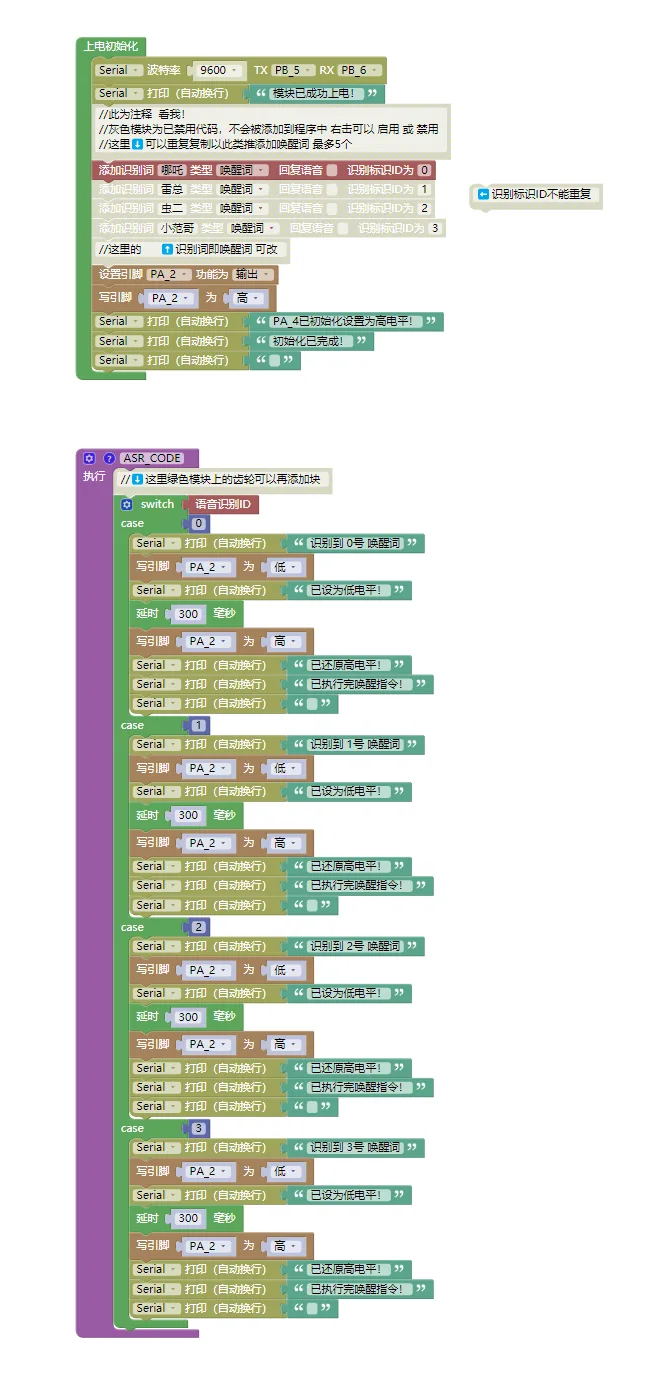
Corresponding wiring:
| ASR PRO Voice Recognition Module | ESP32 S3 Dev Board |
|---|---|
| GND | GND |
| 5V | 5V |
| PA2 | G0 or 0 (BOOT) |
Reason:
The dev board has an indicator LED connected to the PA_4 pin, which may interfere with control. The core board does not have this issue.
Sorry for the inconvenience. Please try again, and feedback is welcome!
For questions, ask in QQ group: 996785959
2. Common issues with non-Espressif official modules / non-YunGuo versions:
No power output from 5V, causing the ASR PRO module to not work. You can use the following wiring to reconnect, or solder the IN-OUT pads on the dev board.
Dev board PA2 port wiring:
| ASR PRO Dev Board | ESP32 S3 Dev Board |
|---|---|
| GND | GND |
| 5V | 3.3 |
| PA2 | G0 or 0 (BOOT) |
Core board PA4 port wiring:
| ASR PRO Core Board | ESP32 S3 Dev Board |
|---|---|
| GND | GND |
| 5V | 3.3 |
| PA4 | G0 or 0 (BOOT) |
Voluntary Public Service Announcement:
Be vigilant about unknown calls, don't share personal information, verify money transfers carefully. Stay safe!
Want to watch a video the author co-created with the Hefei police? It was my first time filming so it's not great...
Love our country forever!
Afterword:
Finally, I'm glad to share this tutorial with everyone!
Wishing everyone smooth sailing, peace and happiness, and eternal joy!
Goodbye!
By: [ZongZi Student]
\-END-